
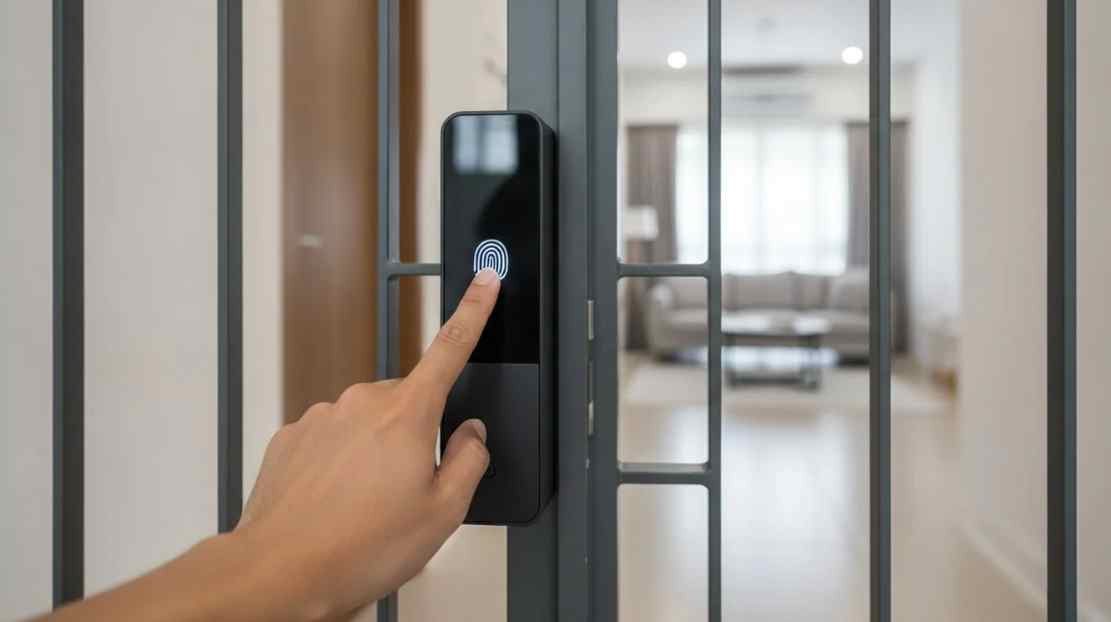
Most people shopping for a digital lock start with features. Fingerprint or keypad, Bluetooth or app. Better to start with people. Who comes and goes from your door, and how should each of them get in?
Once you answer that, the choice between buying digital door locks becomes much simpler.
Map the people first
Write down everyone who needs access. Household members. Kids who forget keys. A cleaner who comes weekly. A tradie for a week. A guest for a weekend. Each one suits a different way in.
A fingerprint suits the people who live there. A passcode suits someone temporary, because you can change it afterwards. A card suits a regular visitor who would rather not use an app. A mechanical key remains useful as a backup.
What Doric offers
Doric stocks the DE10 and DE20 digital locks. Both support the full set of access methods: Bluetooth, fingerprint, passcode and card, plus a mechanical key override. They work with an app on Android and iOS.
Since pricing is on sale, check the product page for the current figure. Brochures and manuals are available there too, which helps you see whether a model suits your door before you buy.
The mechanical key matters more than it sounds
Batteries run flat. Phones go missing. A mechanical key override means you are never locked out because of a dead battery. It is a boring feature that you will be glad of the one time it counts.
Check the door, not just the lock
A lock is only as good as the door it is fitted to. Check the door thickness and the existing cut-outs, and read the manual before ordering. A door that is out of alignment will make any lock harder to use, digital or not.
If your door has been dragging on the frame, fix that first. A latch that doesn’t line up with the strike plate will cause trouble with a digital lock just as it does with a key.
Think about how you will manage it
Using the app, you can handle access from your phone. For a household with one smartphone user and several others who do not use apps, passcodes and fingerprints are probably what everyone else will actually use.
Set a routine for changing passcodes after guests or contractors. It takes a minute and removes the worry of old codes still working.
Finally, think about what happens during the first week. Enrol fingerprints for everyone who lives there, test the mechanical key once, and make sure each person has tried the door from outside before you rely on it. Small trial runs now prevent awkward moments on the doorstep later.
Buying from a hardware specialist
Doric has supplied door hardware in New Zealand since 1998. You can order online with delivery nationwide, or collect from the Auckland warehouse. If you have a specific door in mind, call +64 9 415 5535 and talk it through.
Frequently asked questions
What access methods do the Doric DE10 and DE20 support?
Bluetooth, fingerprint, passcode and card, along with a mechanical key override and an Android and iOS app.
What if the battery goes flat?
The mechanical key override lets you open the door regardless.
Can I give a guest temporary access?
A passcode is a practical option, since you can change it after the visit.
Where can I read more before buying?
The product pages include brochures and manuals.
Pick the lock that fits your people. The technology matters less than the habit of using it.